Separate the attack options
The store describes these systems separately. A useful way to learn is to isolate them first, rather than pressing several unfamiliar actions and being unsure which one caused the result. This is our suggested learning method, not a hidden in-game tutorial sequence.
| Option | Confirmed role | What to learn in your game |
|---|---|---|
| Melee attacks | Core close-range combat with a stamina meter. | Watch the meter and the attack’s visible recovery. |
| Charged attacks | A distinct, powerful attack option. | Find the binding and compare its timing with a normal attack. |
| Weapon-specific specials | The special attack depends on the weapon. | Read the equipped weapon instead of assuming a shared move. |
| Throwing weapons | A secondary weapon category for varied strategies. | Check the selected item’s behavior before relying on it in a difficult fight. |
Sources: Official store ↗ · Publisher ↗
A short stamina and timing practice routine
Choose a familiar encounter.
Use an enemy you have already managed to fight. A new area adds unknown attacks and makes it harder to tell whether the problem is your timing or the encounter itself.
Observe one attack at a time.
Make one melee attack, watch the stamina display and give yourself time to see the result. Note what the meter looks like before your next attack. We have not measured an optimal threshold or universal delay.
Change only the attack type.
Compare your charged or special attack while keeping the weapon and encounter the same. Watch where it reaches and how long it commits you. The goal is to learn a move you can recognize, not to calculate damage from a promotional screenshot.
Add the secondary weapon.
Once you recognize your melee actions, test your selected throwing weapon separately. Read its description for limits. Its existence as a secondary option is official; this guide makes no blanket claim that all throws share costs or cooldowns.
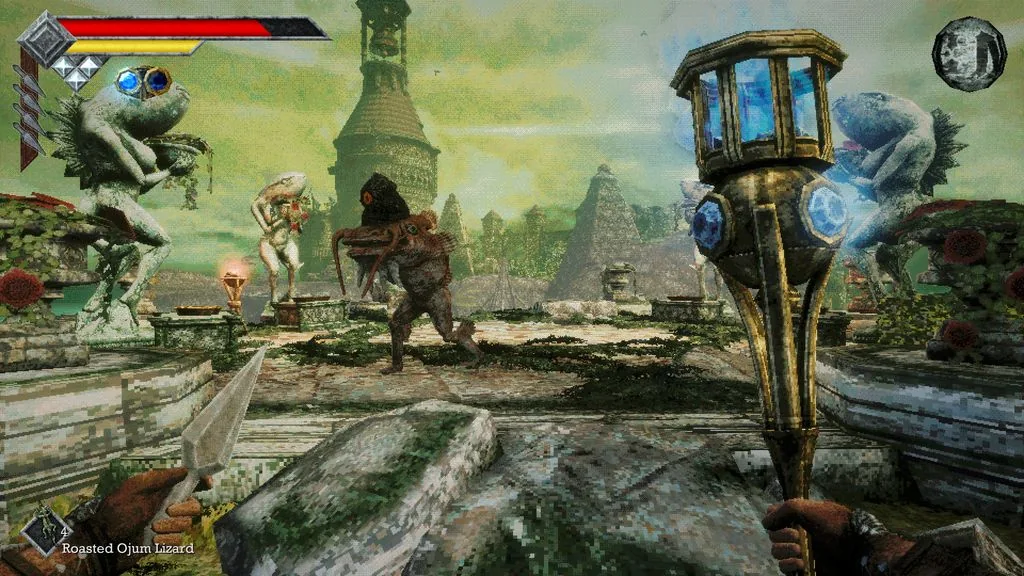
Sources: Official store ↗ · Publisher ↗
Check equipment before looking for a “best” build
The official listing describes discoverable and upgradeable melee weapons, accessories, XP-based leveling and stat increases from food. If a fight feels difficult, review which of these systems you have actually used. That is more actionable than choosing a weapon solely because a discussion calls it overpowered.
For a meaningful weapon comparison, record the exact item names, displayed stats, upgrade state and special actions on your version. Compare them under the same conditions. Without those controls, an impressive clip may reflect progression or a patch difference rather than a universally better weapon.
We do not publish an “all weapons” page yet. The store’s advertised weapon count is not an item-by-item catalogue, and it does not establish damage types, evolution paths or where to find any particular weapon.
Sources: Official store ↗ · Publisher ↗
Use the current status guide and patch notes
Version 1.01.04 updated the in-game status-effects guide with icons. If you cannot identify an effect, consult that guide on an updated PC installation rather than guessing from a symbol in an old screenshot.
Version 1.01.05 fixed invisible attacks from a late-game enemy and an incorrect sound from a midgame weapon. These notes describe particular fixes, not a guarantee that every unusual hit or sound is resolved. Report a repeatable issue with the version and steps, and avoid exposing story details in the title.
Sources: Developer announcement (1) ↗ · Developer announcement (2) ↗